
New

CPE Diagnostic & Laboratory Suite

₹ 999.00
In StockThe CPE Diagnostic & Laboratory Suite is an all-in-one professional toolkit containing 105 interactive web-based simulators and protocol analyzers. Engineered for telecommunications and network engineers, the suite provides a hands-on environment to master troubleshooting across GPON optical networks, IPTV/MPEG-TS video streams, Wi-Fi wireless channels, HDMI/EDID display interfaces, USB protocols, and core Ethernet/IP routing.
Housed in a high-performance, dark-themed dashboard featuring a built-in search engine, these modules simulate real-world hardware behavior, TR-069 CPE provisioning workflows, and packet-level data flows entirely offline. It is the ultimate training and diagnostic solution for modern networking professionals seeking to streamline fault isolation and deepen protocol comprehension.
Description
CPE Diagnostic & Laboratory Suite
The CPE Diagnostic & Laboratory Suite is an advanced, enterprise-grade web simulation and protocol-analysis platform built specifically for telecommunications engineers, network architects, and support technicians. Designed to replicate complex real-world hardware and signal behavior entirely within a client-side environment, this comprehensive suite bridges the gap between theoretical communications standards and hands-on troubleshooting. Featuring 105 interactive modules categorized across critical networking and multimedia domains, the suite empowers professionals to visualize data flows, diagnose link degradation, and master multi-protocol device management without requiring expensive or hazardous physical lab hardware.
Core Feature Categories
- CPE Management & System Diagnostics: Replicate the operational lifecycle of customer premises equipment. Modules simulate complete device provisioning workflows, TR-069 remote management interactions, WAN connection states, broadband router boot sequences, and automated firmware update behaviors. Technicians can practice fault recovery and examine generated diagnostic logs under simulated failure conditions.

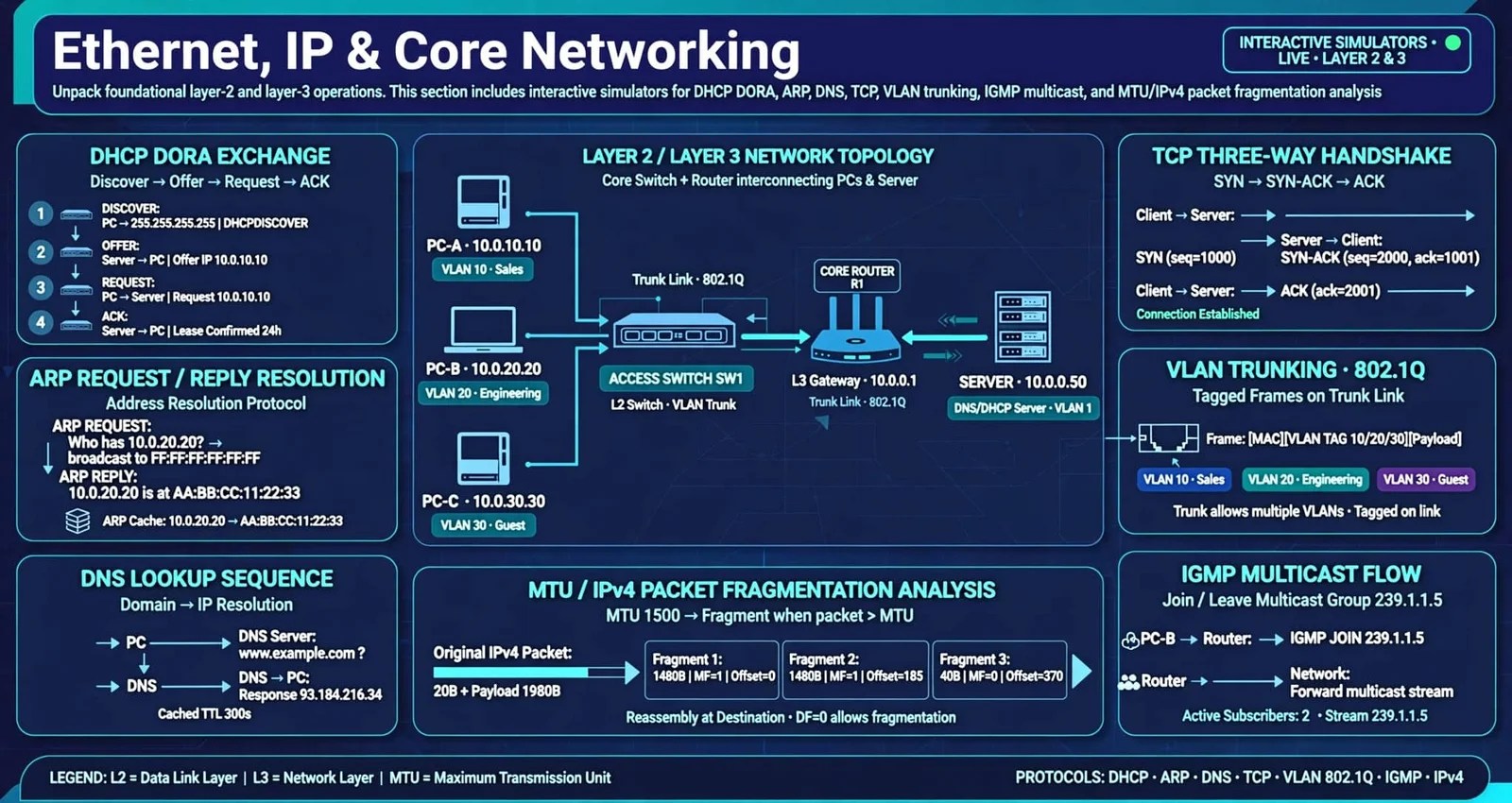
- Ethernet, IP & Core Networking: Unpack foundational layer-2 and layer-3 operations. This section includes interactive simulators for DHCP DORA message exchanges, ARP request/reply resolutions, DNS lookup sequences, TCP three-way handshakes, VLAN trunking, IGMP multicast flows, and MTU/IPv4 packet fragmentation analysis.
- GPON & Optical Access Networks: Delve into fiber-to-the-home (FTTH) architectures. Gain deep operational insight into Gigabit Passive Optical Network (GPON) physical and MAC layers through OMCI message flow visualizers, GEM frame builders, ONU registration state machines, upstream bandwidth allocation algorithms, and optical power budget calculators.

- IPTV & MPEG-TS Digital Video: Troubleshoot modern digital broadcast and IPTV distribution channels. These tools decode MPEG-TS 188-byte packet structures, parse PAT/PMT tables with automated CRC-32 error checks, monitor continuity counters, analyze PCR timing jitter, and simulate set-top box (STB) channel zapping, packet loss concealment, and QoS streaming dashboards.

- Wi-Fi & Wireless Technologies: Optimize wireless network performance by evaluating 802.11 frame control headers, beacon frame intervals, channel overlap topologies, RSSI signal attenuation, client roaming triggers, airtime utilization, and Wi-Fi security handshake mechanisms.

- HDMI, EDID & Display Interfaces: Isolate high-definition video and audio transmission bottlenecks. Technicians can inspect EDID binary structures and checksums, parse HDMI Consumer Electronics Control (CEC) message frame builders, evaluate audio-video stream mappings, resolve lip-sync delays, and verify resolution-bandwidth compatibility.

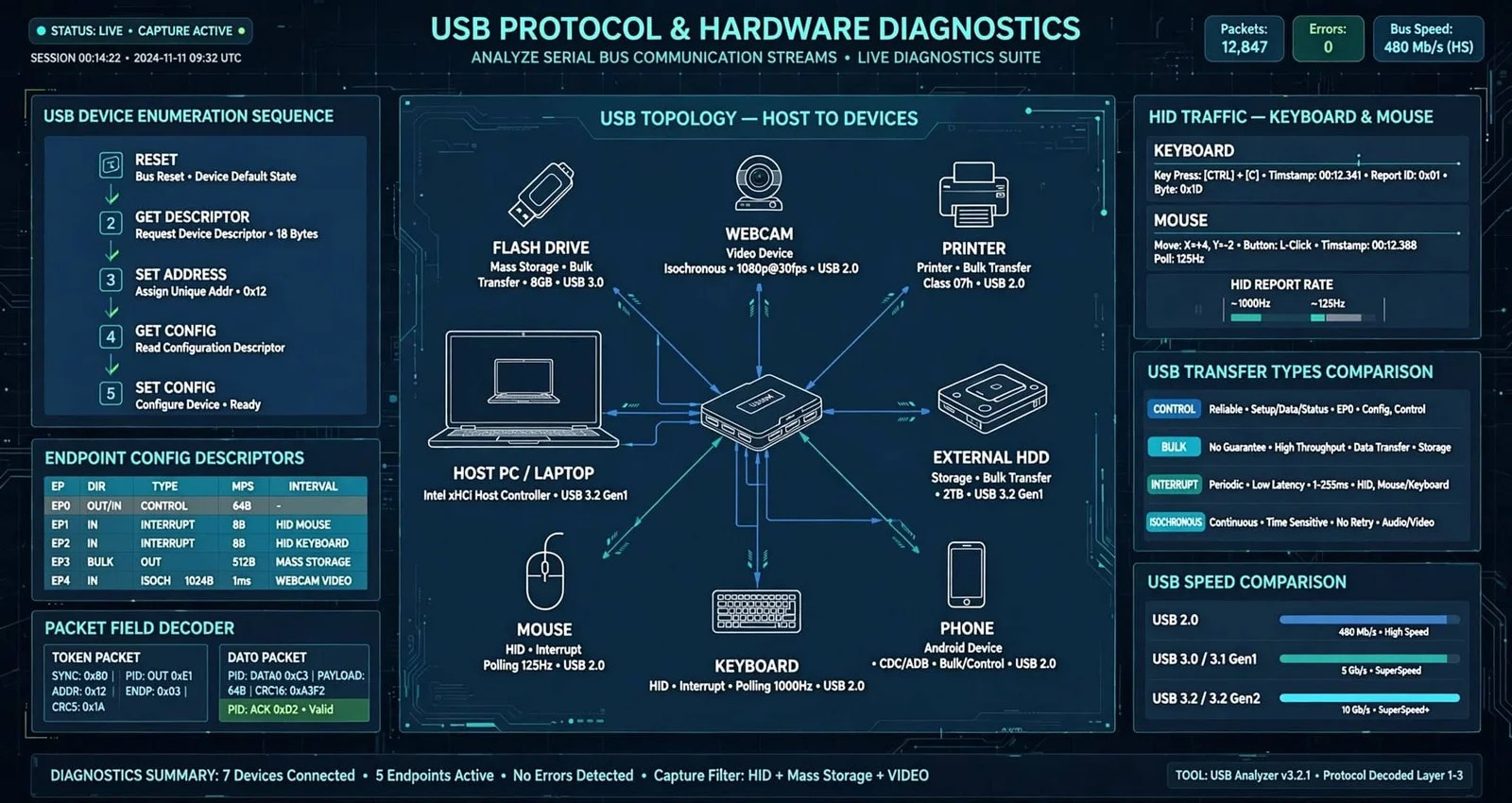
- USB Protocol & Hardware Diagnostics: Analyze serial bus communication streams. Modules dissect USB device enumeration sequences, endpoint configuration descriptors, packet field decoders, human interface device (HID) traffic, and USB transfer type operations.
Key Technical Benefits
- Zero External Dependencies: Built with pure, lightweight HTML, CSS, and client-side JavaScript, the entire suite runs smoothly in any modern web browser straight from a local directory (cpe/code/) without requiring backend servers or external plugins.
- Instant Dynamic Search & Filtering: The centralized dashboard features a real-time keyword search engine, allowing users to locate specific protocol tools, error analyzers, or calculators instantly.
- High-Density Professional Interface: Styled with a high-contrast dark theme optimized for technical workflows, the interface prevents visual fatigue during extended troubleshooting sessions and layout analysis.
Whether used as an educational training platform for junior support engineers or an advanced diagnostic reference toolkit for field deployment teams, the CPE Diagnostic & Laboratory Suite delivers unparalleled visibility into modern multi-vendor telecommunications ecosystems.
Included files
802.11_frame.html
arp_request_reply_simulator.html
Audio-Video-Stream-Mapping-Simulator.html
audio_output_diagnostic_lab.html
broadband_router_boot_sequence_simulator.html
complete_cpe_interface_laboratory.html
CPE-Multi-Protocol-Analyzer.html
cpe_configuration_parameter_explorer.html
cpe_diagnostic_report.html
cpe_diagnostic_report_generator.html
cpe_fault_recovery_simulator.html
cpe_provisioning_report_generator.html
cpe_provisioning_simulator.html
dhcp_dora_simulator.html
dns_resolution_simulator.html
EDID-Capability-Comparison-Tool.html
EDID-Capability-Comparison-Tool1.html
edid_checksum_calculator.html
edid_hexadecimal_viewer1.html
ethernet_fault_diagnosis_lab.html
ethernet_fault_diagnosis_lab_updated.html
ethernet_frame_builder_simulator.html
ethernet_mtu_ipv4_fragmentation_demonstrator.html
ethernet_switch_forwarding_simulator.html
ethernet_to_gem_mapping_simulator.html
filelist.txt
firmware_simulator.html
gem_frame_builder.html
GPON-Alarm-and-Fault-Simulator.html
GPON-Mini-Diagnostic-Lab.html
GPON-ONU-registration-states.html
GPON-Optical-Power-Budget-Calculator.html
GPON-upstream-bandwidth-allocation.html
gpon_architecture_simulator.html
gpon_frame_structure_visualizer.html
hdmi_audio_capability.html
hdmi_cec_command_simulator.html
hdmi_cec_message_frame_builder.html
hdmi_device_address_simulator.html
hdmi_diagnostics_simulator.html
hdmi_edid_cec_mini_analyzer.html
hdmi_edid_simulator.html
hdmi_resolution_compatibility_checker.html
hdmi_troubleshooting.html
Hexadecimal-Packet-Viewer.html
igmp_simulator.html
Interactive-Protocol-Packet-Timeline.html
iptv-stb-simulator.html
iptv_buffering_simulator.html
iptv_channel_zapping_simulator.html
iptv_multicast_flow_visualizer.html
iptv_packet_loss_jitter_simulator.html
iptv_qos_dashboard.html
iptv_qos_dashboard_1.html
iptv_service_discovery_simulator.html
iptv_troubleshooter.html
ipv4_packet_header_decoder.html
Lip-Sync-Delay.html
mac_address_learning_simulator.html
MPEG-TS-Bitrate-Calculator.html
MPEG-TS-Continuity-Counter-Checker.html
mpegts-packet-loss-simulator.html
mpegts-packet-loss-simulator1.html
mpeg_ts_188_byte_packet_explorer.html
mpeg_ts_mini_analyzer.html
mpeg_ts_pat_pmt_table_explorer.html
mpeg_ts_pat_pmt_table_explorer1.html
mpeg_ts_pid_filter_simulator.html
Multimedia-Connection-State.html
Multimedia-Interface-Error-Log-Analyzing.html
Multimedia-Troubleshooting-Decision-Tree.html
networking_lab.html
OMCI-message-flow.html
PCR-Timing-Visualization.html
pppoe_simulator.html
Protocol-Filter-and-Search-Interface.html
protocol_comparison_tool.html
resolution_bandwidth_compatibility_lab.html
rssi_signal_quality.html
simulated_cpe_device.html
stream-mapping-simulator.html
tcp_three_way_handshake_simulator.html
transport_stream_simulator.html
tr_069_provisioning_workflow_simulator.html
udp_packet_builder.html
USB-Device-Recognition.html
usb_data_cal.html
usb_descr.html
usb_endpoint_simulator.html
usb_enum.html
USB_Error.html
usb_hid.html
usb_packet_field_decoder.html
usb_prot_ana.html
usb_randr_sim.html
usb_transfer_type_simulator.html
video_timing_visualizer.html
vlan_tagging_trunking_simulator.html
WAN-Connection-State.html
wifi_airtime.html
WiFi_beacon.html
wifi_ch_overlap.html
wifi_conn_handshake.html
wifi_reTx.html
wifi_roaming.html
wifi_security.html
wifi_tr_dashboard.html
Disclaimer / Important Notice:
This product provides a simulated training and diagnostic laboratory environment for educational and skill-development purposes only. It does not connect to, control, configure, or communicate with live external devices, networks, CPE hardware, or third-party systems, and it does not perform real-time remote management or live network troubleshooting. Certain features allow users to import and analyze user-provided files — such as diagnostic logs, configuration files, packet captures, and other troubleshooting-related files — solely for offline analysis, visualization, and learning within the simulated workflow. Any results, logs, or diagnostics generated are illustrative simulations and should not be relied upon as a substitute for professional diagnosis, live device testing, or manufacturer-authorized procedures. Users remain solely responsible for verifying all findings against actual equipment, documentation, and applicable policies before taking any real-world action.
Related products
-
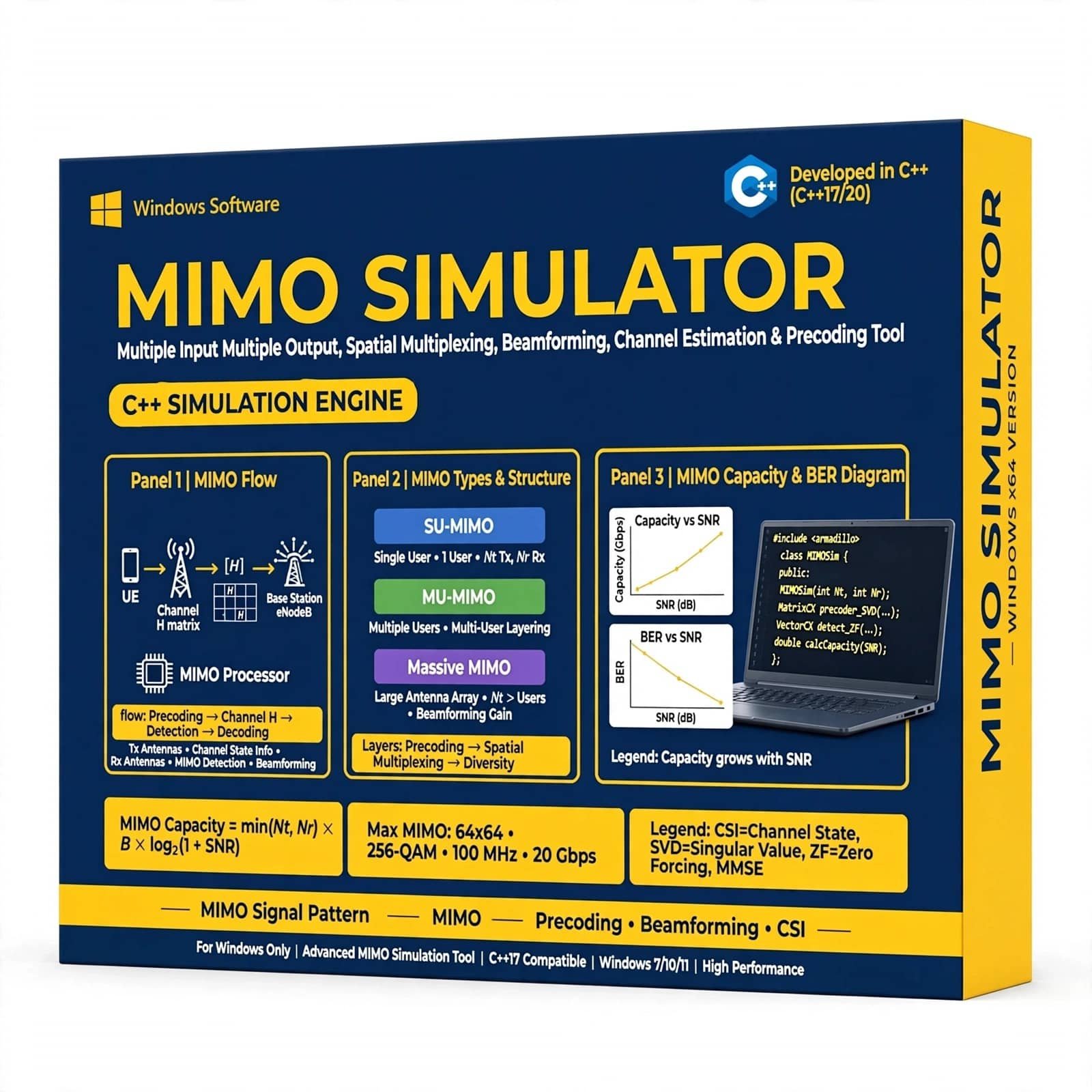
MIMO Simulator with C++ is a powerful wireless communication simulation solution designed for students, researchers, engineers, and communication professionals. Simulate Multiple-Input Multiple-Output (MIMO) systems, analyze channel performance, evaluate BER and SNR, and study different modulation, detection, and fading techniques using efficient C++ implementation.
₹ 499.00 -
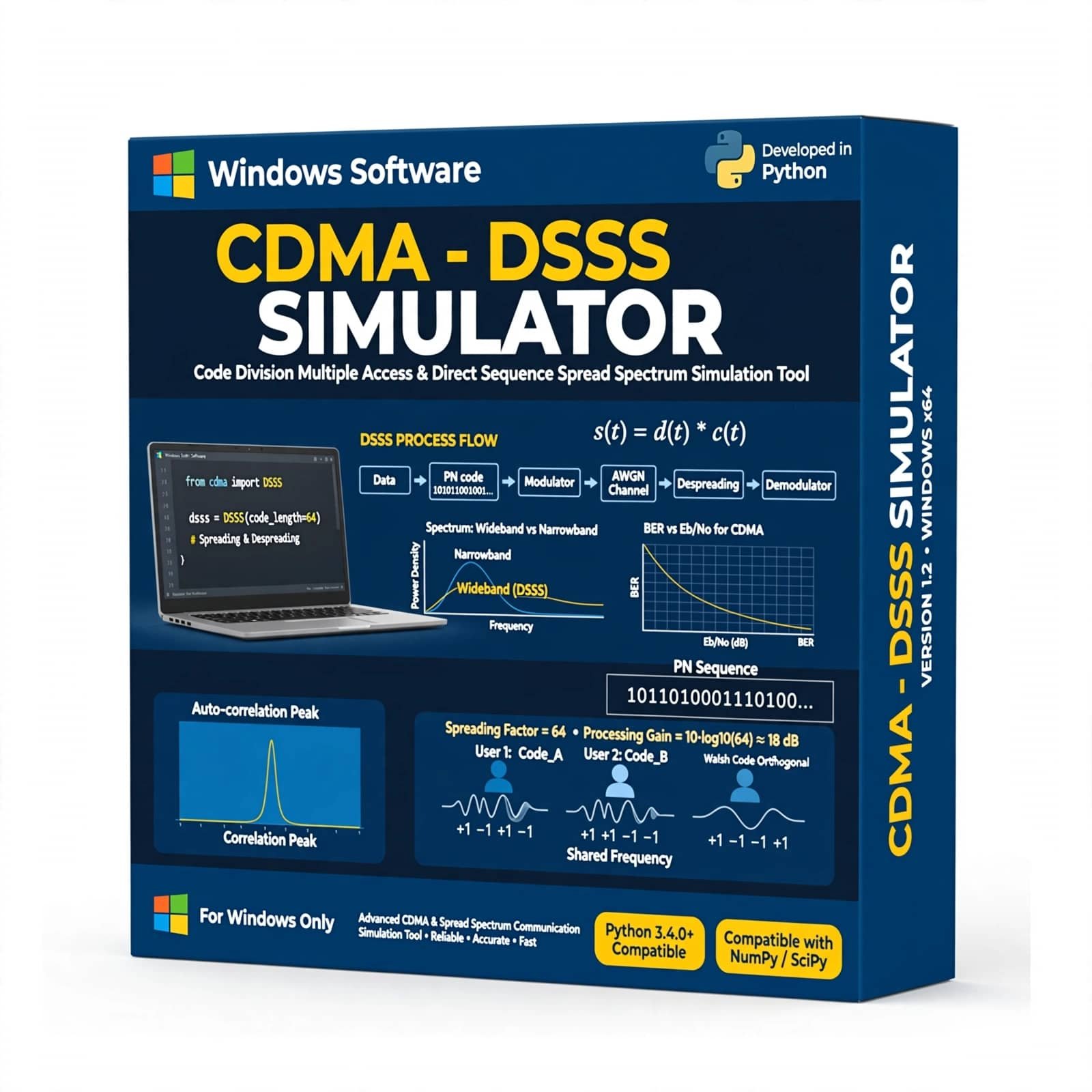
The CDMA – DSSS Simulator with Python is a software-based communication simulation tool designed to demonstrate and analyze Code Division Multiple Access (CDMA) and Direct Sequence Spread Spectrum (DSSS) techniques. Developed using Python, the simulator provides a practical environment for studying spreading codes, signal spreading and despreading, data transmission, multiple-access communication, interference, and signal recovery. It is ideal for digital communication and wireless communication laboratories, engineering education, student projects, technical training, and communication-system research.
₹ 1,399.00 -
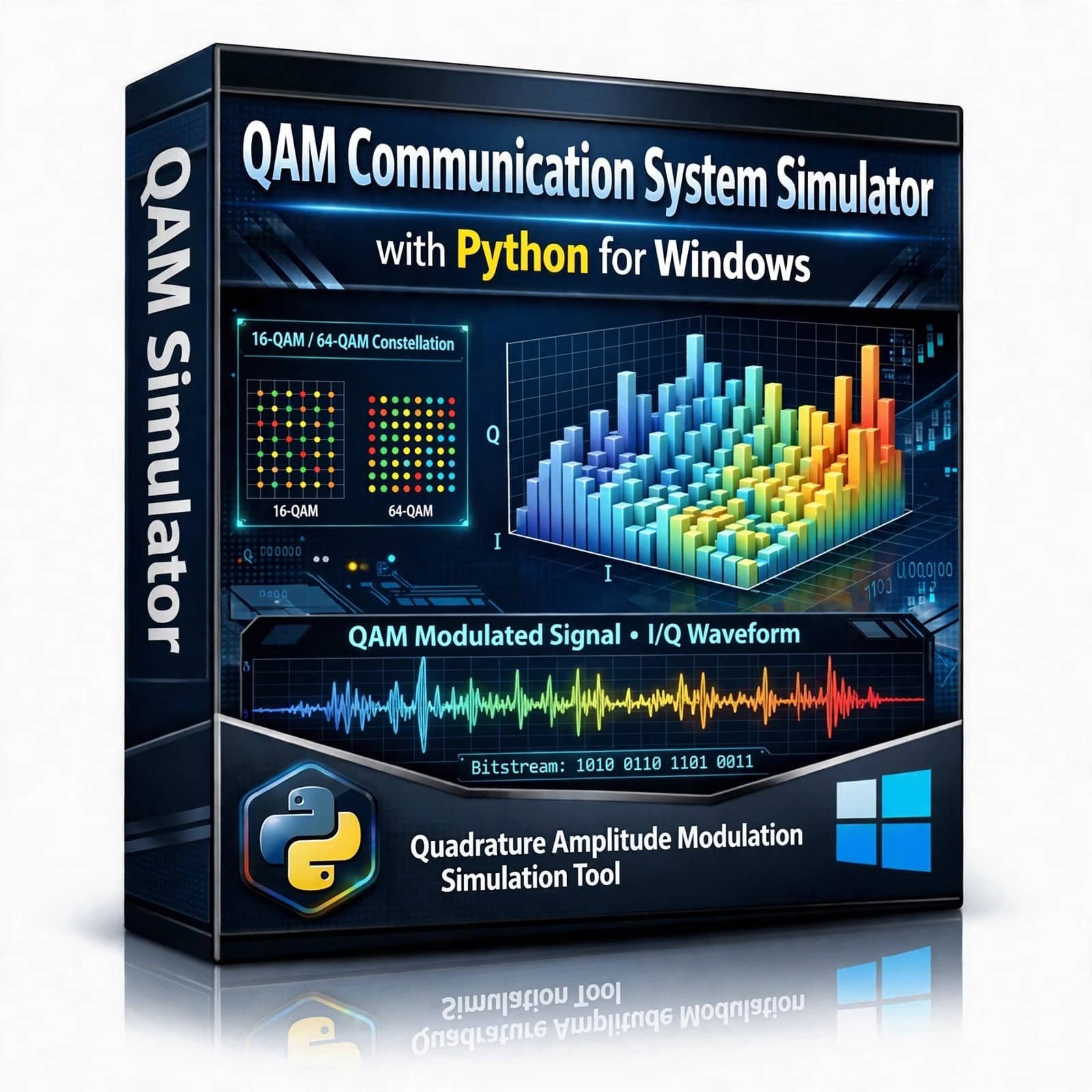
QAM Communication System Simulator – Explore and simulate Quadrature Amplitude Modulation (QAM) with this Python-based Communication System Simulator. Designed for students, researchers, and communication engineering enthusiasts, this project provides an interactive way to understand QAM modulation, signal transmission, noise effects, constellation diagrams, demodulation, and communication system performance using Python.
₹ 499.00 -
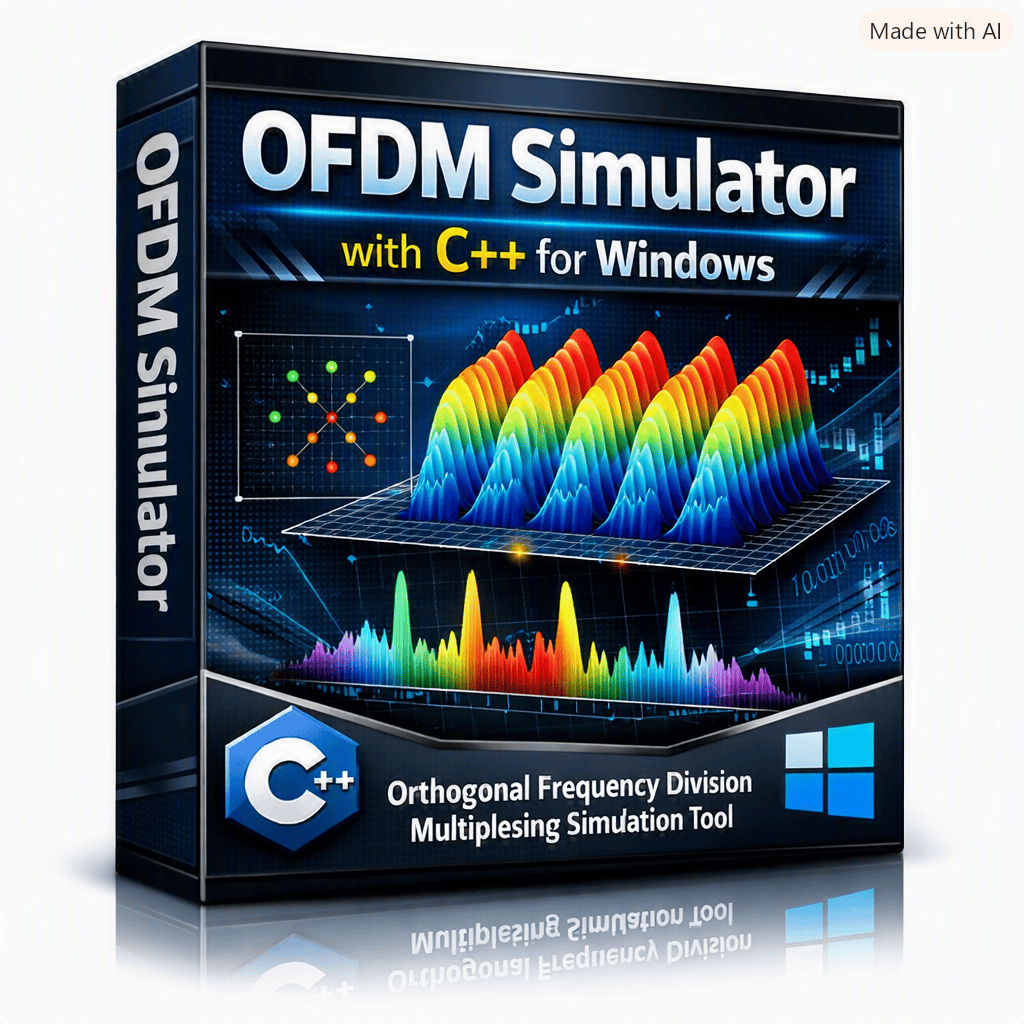
OFDM Simulator – C++ Educational Software is an interactive learning and simulation tool for understanding Orthogonal Frequency Division Multiplexing (OFDM) and digital communication concepts. Developed using C++, it allows users to configure FFT/IFFT size, active subcarriers, cyclic prefix length, modulation, SNR, and number of OFDM symbols while visualizing the resulting time-domain waveform, spectrum, and constellation. The simulator also provides measurable results such as PAPR, BER, Eb/N0, simulated bits, and cyclic-prefix overhead.
₹ 499.00 -
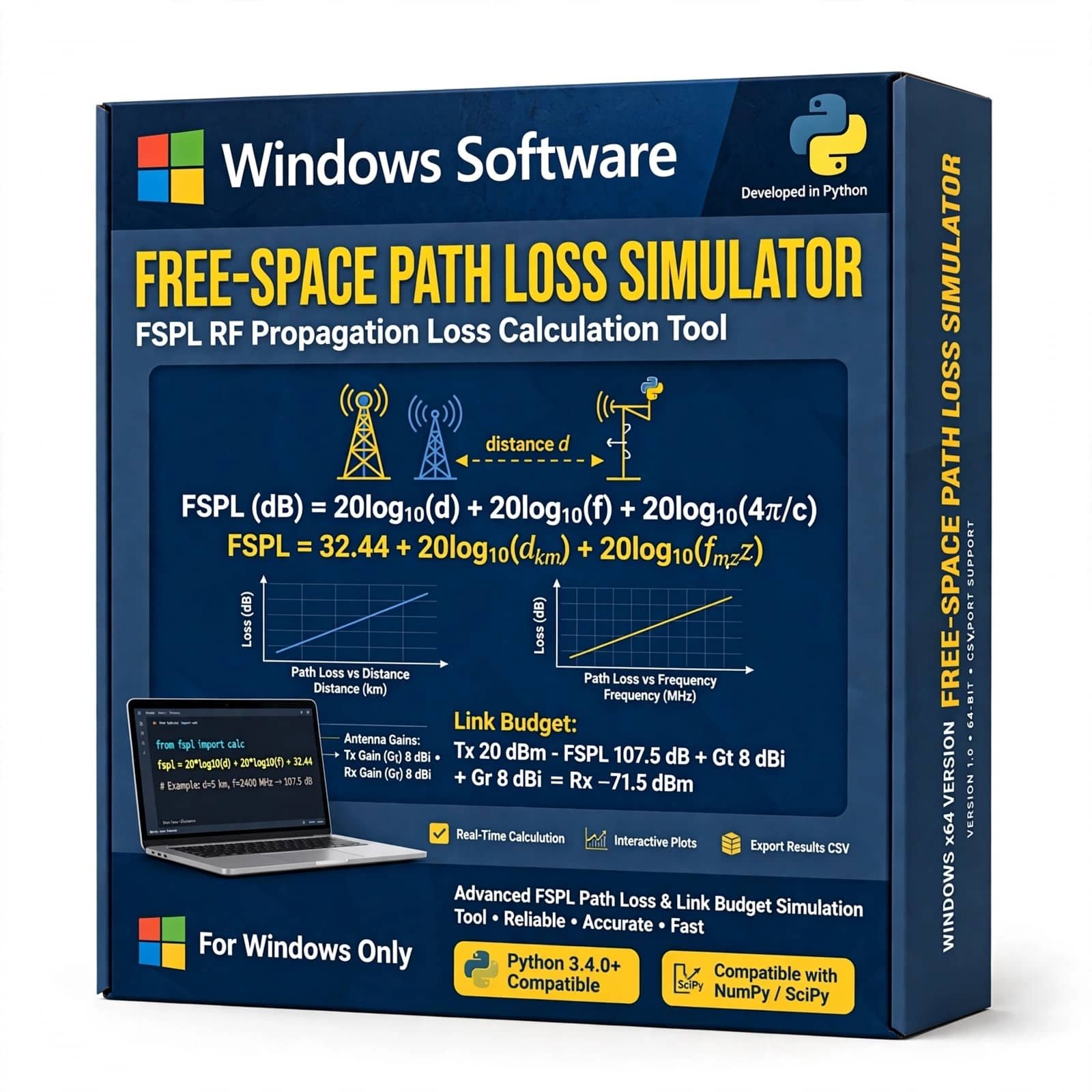
Free-Space Path Loss Simulator is an educational RF and wireless communication simulation tool designed to help students, engineers, researchers, and telecom professionals understand how radio signals lose power as they propagate through free space. It enables users to analyze the impact of frequency, distance, antenna characteristics, and transmission parameters on received signal strength and path loss.
₹ 499.00 -
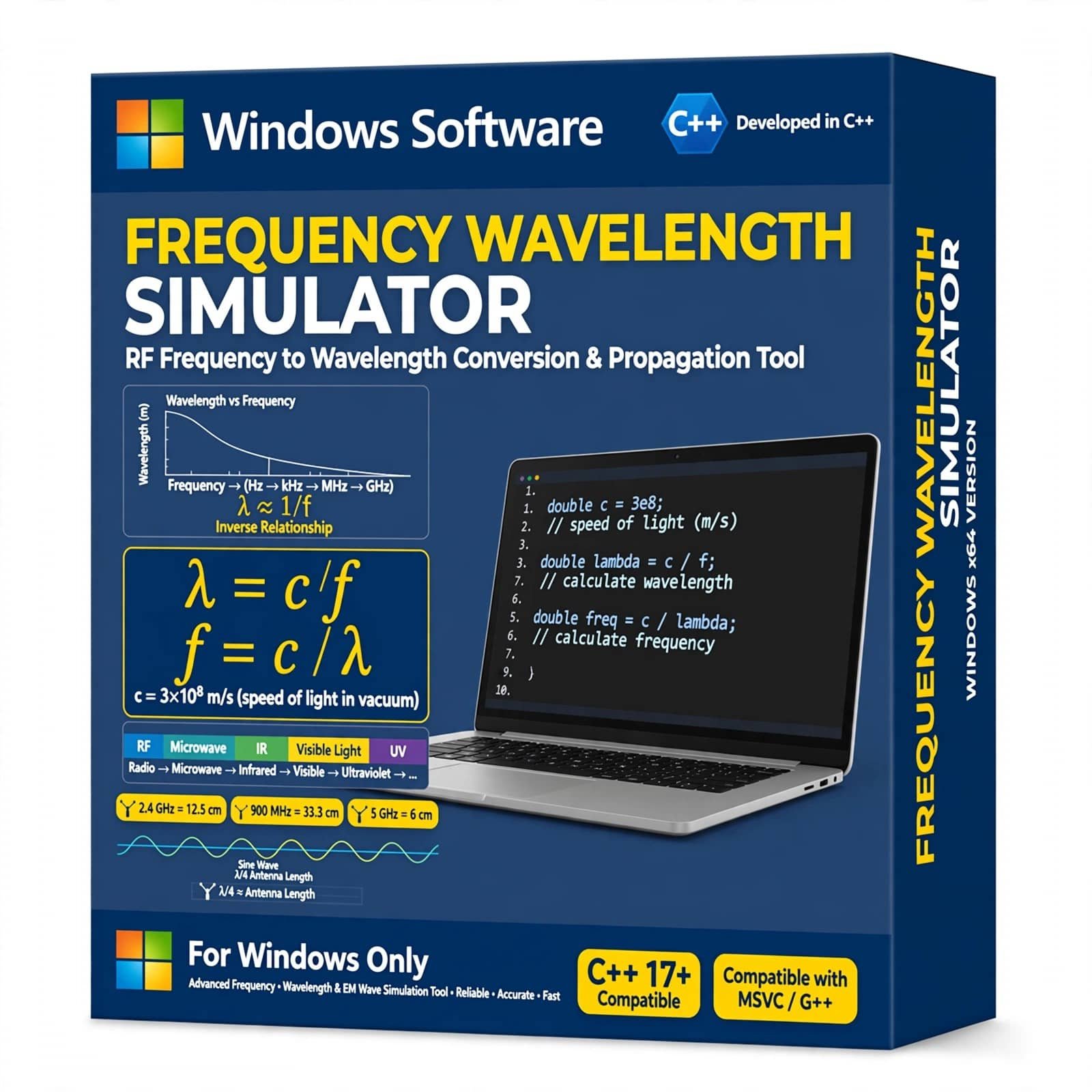
Frequency Wavelength Simulator with C++ is a practical simulation project designed to calculate and analyze the relationship between frequency, wavelength, and wave velocity. Developed using C++, this project provides an easy way to understand fundamental concepts of electromagnetic and communication waves through computer-based calculations.
It is ideal for B.Tech, M.Tech, ECE, electronics, telecommunication, physics, and engineering students looking for a useful C++ academic project. The simulator can be used to calculate wavelength from frequency, explore different frequency values, and understand how frequency and wavelength are related in wireless communication and electromagnetic wave propagation.
₹ 999.00


Reviews
There are no reviews yet.